
الدخول دون كلمة مرور
- افتح الاختبارات وانزل إلى «ادخل بدون كلمة مرور».
- اكتب بريدك وأكمل التحقق.
- اضغط الرابط الذي يصلك في البريد.
إجابات سريعة للطلاب وأولياء الأمور والمعلمين، وأدلة مصوّرة قصيرة.
Quick answers for students, parents and teachers, plus short illustrated guides.
لم نجد إجابة تطابق بحثك. جرّب كلمة أخرى، أو راسلنا من الأسفل.No answer matches your search. Try another word, or contact us below.
حتى نهاية امتحانات الفصل لصفّك (آخر امتحان في جدول صفّك)، أو بعد 120 يومًا من الشراء، أيهما أقرب. فاشتراك الفصل الأول لا يمتد إلى الفصل الثاني. التاريخ الدقيق يظهر في صندوق الاشتراك قبل أن تدفع، وفي رسالة التفعيل.
تدرّب بلا حدود تقريبًا: حتى 15 اختبارًا يوميًا لكل مادة، وهذا أكثر مما يحتاجه أي طالب. التجريبي المجاني وتحديد المستوى و«مراجعة اليوم» لا تُحسب منها. إن وصلت للحد فعُد غدًا، وراجع أخطاءك في هذه الأثناء.
على جهازين في الوقت نفسه، جوال وحاسوب مثلًا. إن دخلت من جهاز ثالث يخرج أقدم جهاز تلقائيًا، ويمكنك الدخول عليه من جديد برابط البريد متى شئت.
مع خيار «🌐 الترجمة» تصلك ترجمة حتى 300 سؤال يوميًا إلى لغة المساعدة التي تختارها، والسؤال بالعربية يبقى أمامك. بدونها تحصل على 3 ترجمات مجانية في اليوم.
في صفحة المادة تحت عنوانها («⭐ مشترك حتى …»)، وفي رسالة التفعيل التي تصلك بالبريد والواتساب.
راسلنا على الواتساب برقم طلبك، ونرد عليك بسرعة ونحلّ الأمر معك بكل وضوح.
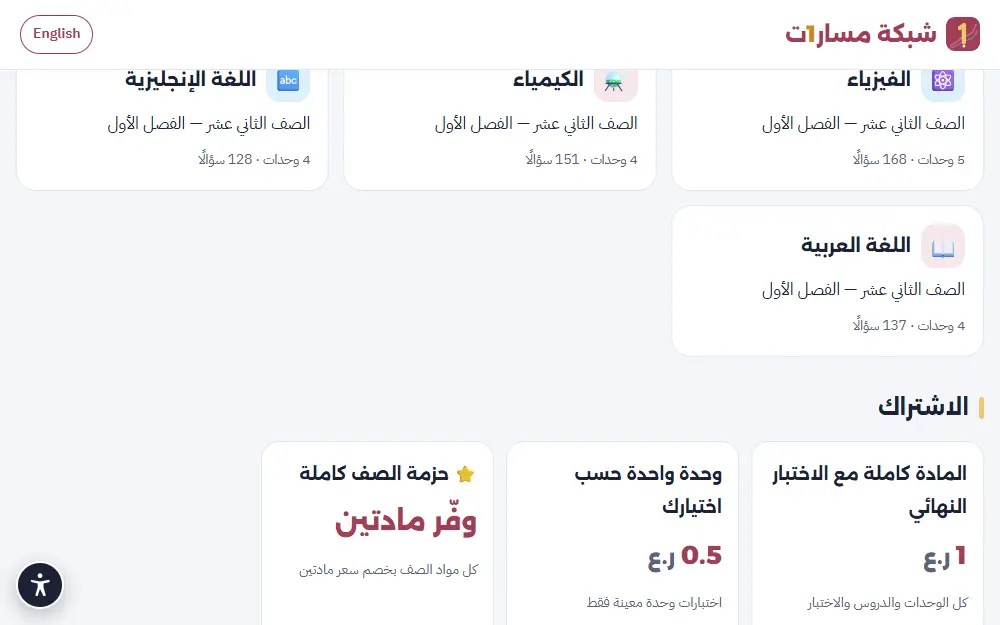
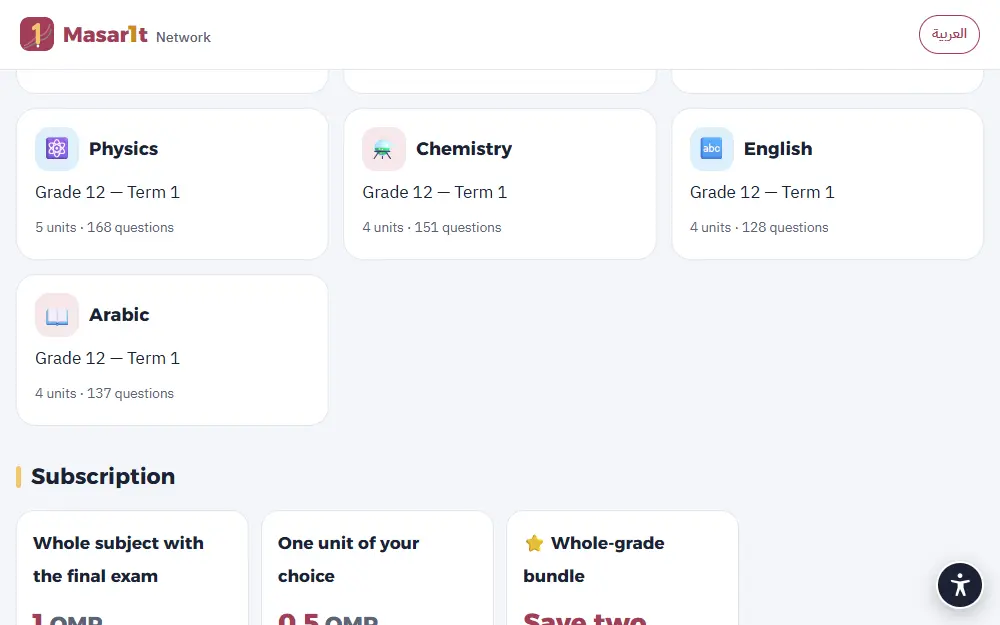
المادة كاملة مع الاختبار الشامل بـ 1 ر.ع، والوحدة الواحدة بـ 0.5 ر.ع، وحزمة الصف كاملة بخصم سعر مادتين. يظهر السعر الدقيق في صفحة كل مقرر قبل الدفع.
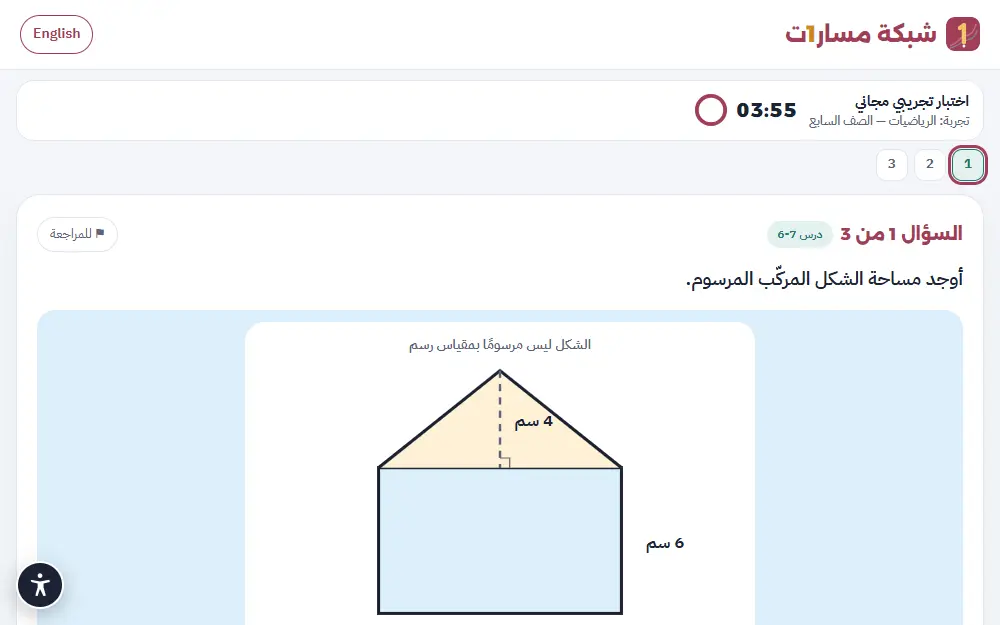
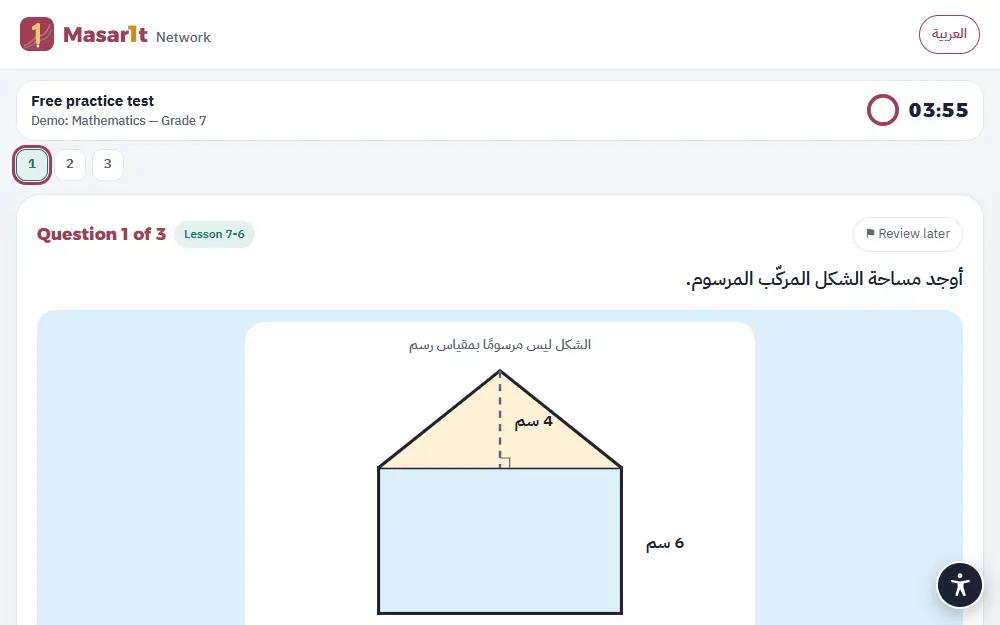
نعم. في صفحة الاختبارات تجارب فورية دون تسجيل، ولكل طالب ثلاثة اختبارات تجريبية مجانية بعد الدخول.
اضغط «ادفع عبر ثواني» في صفحة المقرر، فتنتقل إلى بوابة ثواني الآمنة وتدفع بالبطاقة البنكية. لا تمرّ بيانات بطاقتك بنا، ويتفعّل الاشتراك فور تأكيد الدفع. إن لم يظهر زر الدفع الإلكتروني، اشترك عبر الواتساب ويصلك رمز التفعيل.
حدّث الصفحة أولًا. إن بقي الاشتراك غير مفعّل، راسلنا على الواتساب برقم العملية الذي ظهر لك، فنتحقق منه مع ثواني ونفعّله لك.
كل اشتراك (مادة أو وحدة أو حزمة صف) صالح حتى نهاية الفصل لصفّك (آخر امتحان في جدوله) وبحد أقصى 120 يومًا من الشراء، أيهما أقرب، وتاريخه يظهر في صندوق الاشتراك قبل الدفع. الحساب يعمل على جهازين كحد أقصى، والدخول من جهاز ثالث يُخرج أقدم جهاز.
في صفحة المادة اضغط «💬 اطلب عبر واتساب» واكتب رقمك، فيُنشأ رقم طلبك وتُفتح محادثة برسالة جاهزة فيها المادة والباقة والمبلغ. حوّل المبلغ بتحويل بنكي أو من محفظة ثواني، وأرسل صورة الإيصال في المحادثة نفسها، فيصلك بريد «تم تفعيل اشتراكك». الخطوات مصوّرة في «كيف أدفع؟» تحت الباقات.
صفحة واحدة لكل طلباتك: أين وصل كل طلب، وتفاصيله وسعره قبل التنفيذ، والخطوة التالية (الموافقة أو الدفع أو تحميل الملفات). لا يُنفَّذ شيء ولا يُطلب أي مبلغ قبل أن تضغط «أوافق على التفاصيل».
اضغط زر «طلباتي» في أي بريد منا، أو افتح صفحة طلباتي واكتب الرقم المرجعي (مثل R-0012 أو W-AB12C) مع البريد أو رقم الواتساب الذي طلبت به.
تحت كل طلب مفتوح زر «لدي سؤال». اكتب سؤالك، ويصلك الرد بالبريد خلال 24 ساعة، ويبقى طلبك كما هو حتى تقرر.
بعد الدخول إلى الاختبارات، انزل إلى خانة «رمز الاشتراك»، واكتب الرمز كما وصلك (بالشكل M1-XXXX-XXXX)، ثم اضغط «تفعيل».
تأكد من كتابة الحروف والأرقام كما هي دون مسافات. كل رمز يُستخدم مرة واحدة لحساب واحد؛ إن استُخدم بالخطأ في بريد آخر، راسلنا ونساعدك.
لا تحتاج كلمة مرور. اكتب بريدك (أو بريد وليّ أمرك)، فنرسل رابط دخول آمنًا صالحًا 30 دقيقة. افتح بريدك واضغط الرابط. إن لم يصل، انظر في مجلد الرسائل غير المرغوب فيها، أو اطلب رابطًا جديدًا.
إجاباتك تُحفظ تلقائيًا أثناء الحل. افتح الاختبار من «محاولاتي» وأكمل، مع العلم أن المؤقّت يستمر، ويُسلَّم الاختبار تلقائيًا عند انتهاء الوقت.
الاختبار الشامل (20 سؤالًا في 30 دقيقة) يأتي بأسئلة جديدة في كل مرة. أما النماذج الخمسة فثابتة الأسئلة، لتعيد حلّها وتقيس تقدّمك عليها.
بعد أي اختبار اضغط «تدرّب على أخطائك»، فيُبنى لك اختبار جديد يركّز على الدروس التي تحتاج مراجعة.
في صفحة الحلول تحت كل سؤال زر «أبلغ عن مشكلة في السؤال». كل بلاغ يعيد السؤال إلى المراجعة. اقرأ كيف نراجع الأسئلة في صفحة الثقة والأمان.
الأسئلة بلغة المادة كما في الكتاب المدرسي: مادة اللغة الإنجليزية بالإنجليزية، وبقية المواد بالعربية. واجهة الموقع متاحة بالعربية والإنجليزية من زر اللغة في الأعلى.
زر تحت كل سؤال وشرح يعرض ترجمته إلى اردو أو हिन्दी أو বাংলা أو English تحت النص العربي، والعربي يبقى الأساس. تختار لغتك أول مرة، وتغيّرها من «تغيير اللغة». لك 3 ترجمات مجانية كل يوم، وبلا حد مع باقة «مع الترجمة». لا يظهر في مادتي اللغة العربية واللغة الإنجليزية.
في جداول الامتحانات: اختر صفّك لترى كل امتحان بموعده ووقته ومدته مع عدّ تنازلي. «📅 أضف إلى تقويمي» يضع التنبيهات في جوالك، و«📝 خطة المراجعة» ترتّب ما تذاكره كل يوم، و«🎯 تدرّب لهذا الامتحان» يفتح المادة مباشرة. الجداول مجانية لكل الطلاب.
لعبة تعليمية مجانية على masara1t.net/kids دون تسجيل. يختار الطفل بطله وصفه، ثم جزيرة المادة على خريطة البحر، ثم أول محطة (درس من المنهج). كل محطة ست جولات من ألعاب قصيرة: البالونات، التقاط الإجابة بالسلة، صح أم خطأ، سباق الفرز، بطاقات الذاكرة، السحب إلى السلال، ترتيب البطاقات، وتركيب القطار. زر «؟» أعلى الشاشة يعيد شرح طريقة اللعب.
كل سؤال وكل خيار يُقرأ بصوت عالٍ: زر «اسمعني مرة أخرى» للسؤال، و🔊 بجانب كل خيار، و🔊 للشرح بعد الإجابة. زر 🗣️ أعلى الشاشة يجعل القراءة تلقائية، وزر 🔊 يشغّل المؤثرات أو يوقفها.
كل محطة تمنح حتى 3 نجوم. أول جزيرتين مفتوحتان، وكل جزيرة بعدهما تُفتح بثلاث نجوم إضافية. وعندما يحصل الطفل على نجمتين أو أكثر في درس، يأخذ ملصقًا في «ألبوم الملصقات» (زر 📒). لا يوجد مؤقّت أبدًا، والخطأ يُشرح بلطف.
افتح حساب وليّ الأمر على الجهاز نفسه الذي يلعب عليه طفلك، فتظهر في الأعلى بطاقة «ماذا تعلّم طفلي هذا الأسبوع»: الدروس والنجوم وأيام اللعب والملصقات الجديدة، واقتراح درس تعيدانه معًا.
على جهازكم فقط (في المتصفح)، ولا يُرسل اسم الطفل أو تقدّمه إلى الموقع. إن مسحتم بيانات المتصفح أو استخدمتم جهازًا آخر تبدأ المغامرة من جديد. الأسئلة من بنك المنهج المعتمد نفسه في الاختبارات.
في صفحة الطالب خانة «تقرير التقدّم»: اكتب بريد وليّ الأمر واضغط «حفظ وإرسال التقرير الآن». التقرير يوضح المستوى في كل درس ونقاط القوة وما يحتاج مراجعة، ويمكن استلامه كل أسبوع تلقائيًا.
أنشئ حساب وليّ الأمر مجانًا. يدخل ابنك إلى صفحة اختباراته ويضغط «أنشئ رمز ربط» في قسم «وليّ الأمر»، ثم تكتب الرمز في حسابك (صالح 72 ساعة ولمرة واحدة). بعدها ترى نتائجه وتقدّمه في كل مادة، ويصلك تقرير أسبوعي.
ألغِ تحديد «أرسل التقرير لوليّ أمري كل أسبوع تلقائيًا» في خانة تقرير التقدّم، أو راسلنا ونوقفه لك.
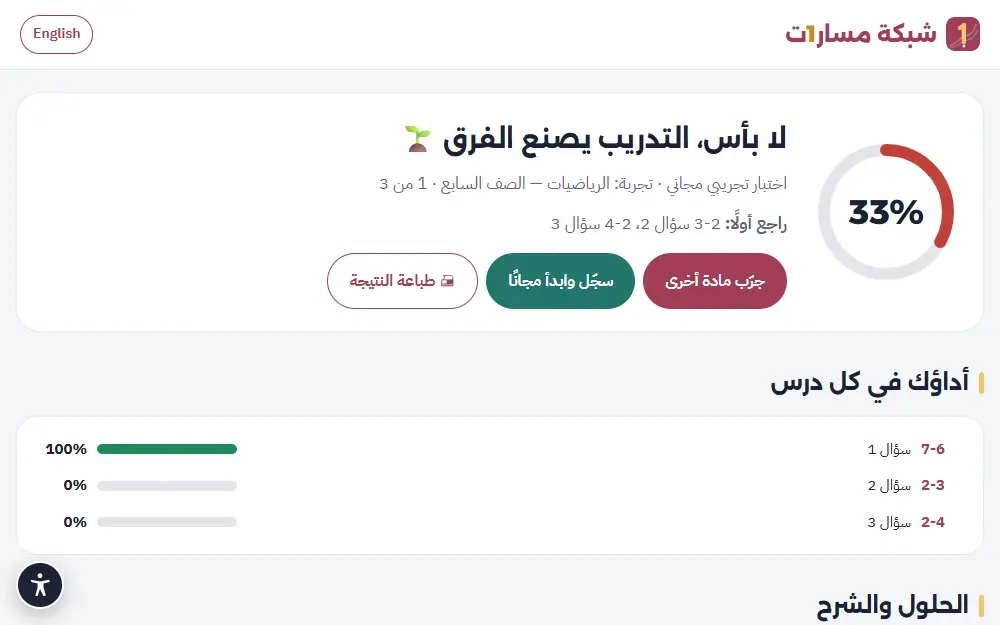
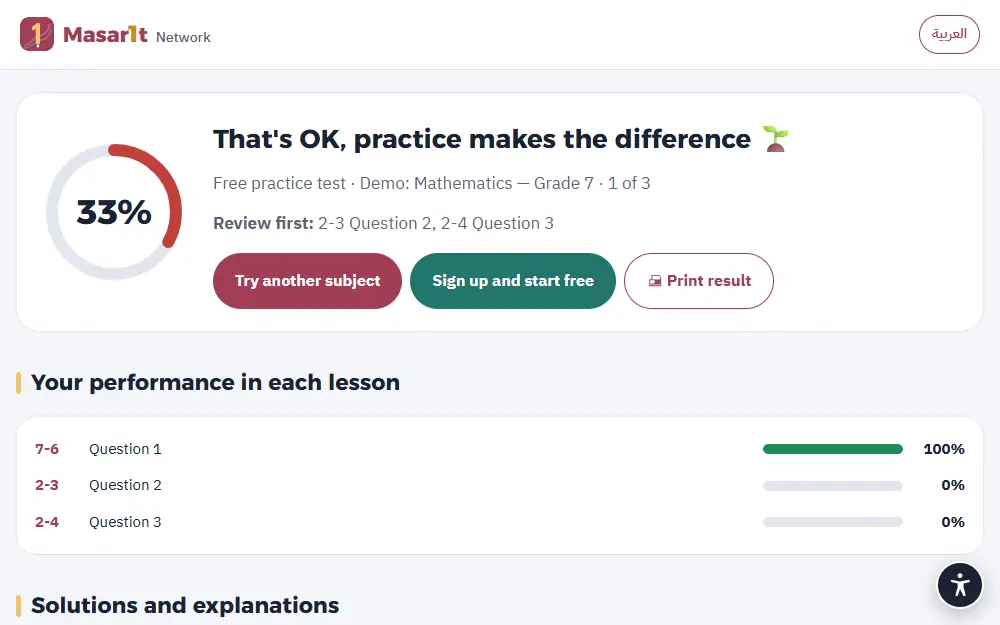
نعم، في صفحة النتيجة زر «طباعة النتيجة»، ويمكن الحفظ بصيغة PDF من نافذة الطباعة.
أداة مجانية تختار فيها الصف والدرس ونوع العمل (خطة درس، اختبار قصير، ورقة عمل…)، فتبني لك أمرًا جاهزًا للذكاء الاصطناعي يتضمن مخرجات الدرس ومواصفات التقويم. انسخه والصقه في Claude أو ChatGPT.
أوامر أعمق لدرس واحد في صفحة أوامر المعلم: خطة درس كاملة، ورقة عمل بثلاثة مستويات، اختبار بمواصفات وثيقة التقويم، خطة علاجية، لعبة مراجعة، وغيرها (15 نوعًا). كل أمر يُبنى من درسك نفسه: نواتجه ومصطلحاته ومواصفات التقويم وأمثلة حقيقية من أسئلته، مع ما تُدخله أنت (عدد الطلاب، الزمن، الأدوات، المستوى، اللغة).
سعر الحزمة 0.5 ر.ع لدرس واحد وحتى 3 أوامر، وصلاحيتها 120 يومًا تولّد فيها أوامرك بمدخلات مختلفة كما تشاء. حزمك وحالتها تجدها في «📦 حزمي» أسفل القسم، وطلبك في طلباتي.
نعم، من خدمة «نصمّمه لك» في الصفحة الرئيسية أو صفحة الطلب. نرسل لك العرض والسعر قبل أي التزام.
نعم، بالطلب للمدارس: فصول برمز انضمام، وواجبات بموعد تسليم، وتقرير «نقاط التعثّر» مع تكليف علاجي بضغطة. اطلب تجربة أو عرض سعر من صفحة للمدارس والمعلمين؛ السعر حسب عدد الفصول والطلاب، ونفعّل حسابات معلميك بعد موافقتك.
في «فصولي» اضغط «أنشئ فصلك الأول» واختر الصف والمواد واسم الشعبة. شارك رمز الفصل أو رابطه مع طلابك ليكتبوه في صفحة اختباراتهم، ثم كلّف اختبار درس أو وحدة بموعد تسليم، وتابع التقرير ونقاط التعثّر.
إعدادات تجعل الاختبارات أسهل في الوصول لمن يحتاجها: وقت إضافي (×1.5 أو ×2) أو بلا مؤقّت، وقراءة السؤال والخيارات والشرح بصوت مع تظليل ما يُقرأ، وخط أكبر وتباعد أوسع، وخط مريح لعسر القراءة، وخيارات أقل (يُخفى خيار خاطئ واحد)، ووضع تركيز هادئ بلا حركة، وتلميح قبل الإجابة، وتباين عالٍ وألوان آمنة لعمى الألوان.
الطالب من صفحة الاختبارات («♿ هل تحتاج دعمًا خاصًا؟»)، أو وليّ الأمر من لوحة حسابه («هل يحتاج طفلك دعمًا خاصًا؟»)، أو المعلم لطلاب صفّه. يُطبَّق من الاختبار التالي.
لا. التسهيلات تغيّر طريقة العرض والوقت فقط، والتصحيح واحد للجميع. وتظهر عبارة «بتسهيلات» بجانب المحاولات التي استُخدمت فيها في تقرير وليّ الأمر وتقرير المعلم، حتى تكون الصورة واضحة.
بتفعيل «🤟 الصم وضعاف السمع» يظهر كل تنبيه صوتي رسالةً مكتوبة واضحة، مثل «بقيت دقيقة واحدة»، والتعليمات مكتوبة بأيقونات وجمل قصيرة. ونضيف تدريجيًا فيديوهات بمترجم لغة الإشارة بجانب التعليمات؛ يظهر زر «🤟 بلغة الإشارة» حيث يتوفر الفيديو.
نحفظ الإعدادات المختارة فقط لتطبيقها، ولا نسأل عن أي تشخيص أو حالة صحية. يمكن تعديلها أو إلغاؤها في أي وقت.
البريد المستخدم للدخول، واسم اختياري، والمحاولات والدرجات، وبريد وليّ الأمر إن أُضيف. لا كلمات مرور ولا أرقام هواتف ولا صور. التفاصيل في الثقة والأمان وسياسة الخصوصية.
اكتب إلى [email protected] من البريد المسجّل، ونحذف الحساب وبياناته بالكامل.
لا. لا إعلانات ولا ملفات تتبّع إعلانية، ولا نبيع البيانات أو نشاركها للتسويق.
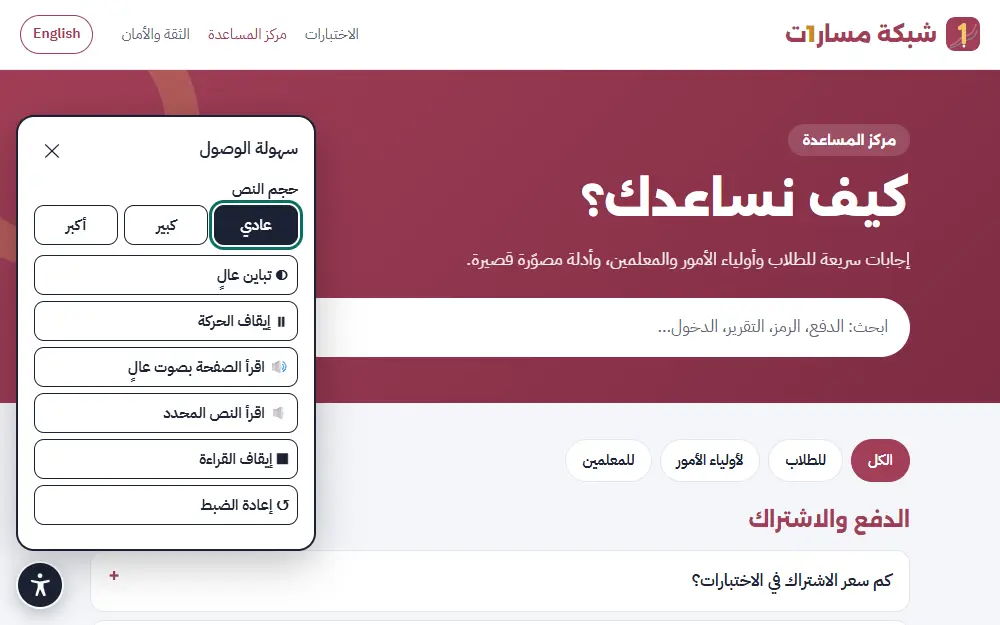
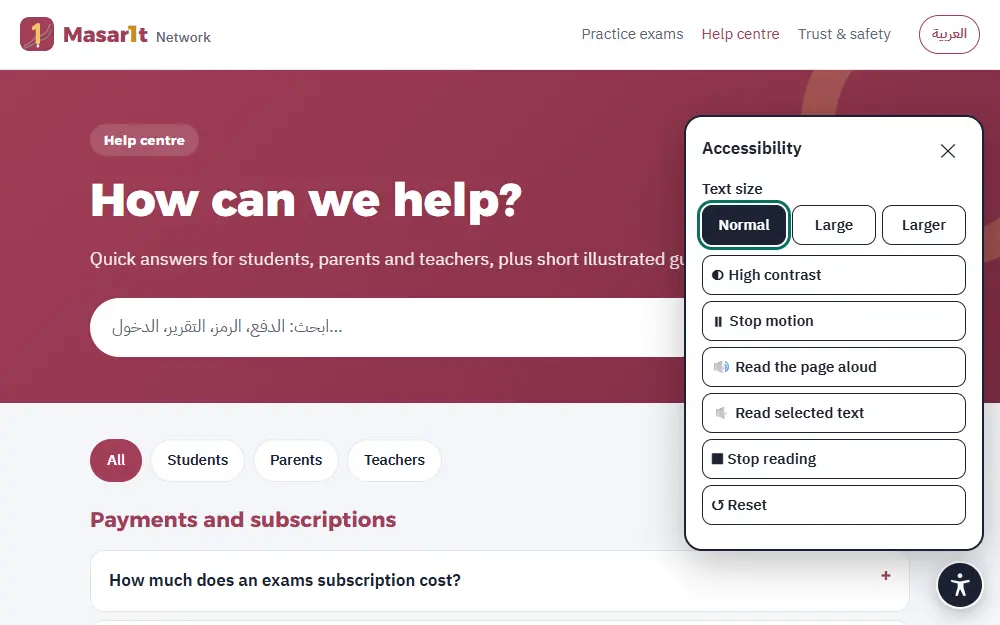
نعم. زر سهولة الوصول (الدائرة الداكنة أسفل الشاشة) يتيح تكبير النص، والتباين العالي، وإيقاف الحركة، وقراءة الصفحة أو النص المحدد بصوت عالٍ.
Until the end of your grade’s term exams (the last exam in your grade’s timetable), or 120 days after purchase, whichever comes first, so a term-1 plan never runs into term 2. The exact date is shown in the payment box before you pay, and in your activation message.
Practise almost without limits: up to 15 tests a day per subject, more than any student needs. Free samples, the placement test and the daily review do not count. If you reach the limit, come back tomorrow and review your mistakes meanwhile.
Two at the same time, a phone and a computer for example. Signing in on a third device signs out the oldest one; you can sign in there again with the email link whenever you like.
With the «🌐 Translation» option you get up to 300 translated questions a day in the help language you choose, with the Arabic question still in front of you. Without it you get 3 free translations a day.
On the subject page under its title («⭐ Subscribed until …»), and in the activation message you receive by email and WhatsApp.
Message us on WhatsApp with your order number; we reply quickly and sort it out with you clearly.
A whole subject with the full-term exam is 1 OMR, a single unit is 0.5 OMR, and the whole-grade bundle costs two subjects less. The exact price shows on each course page before you pay.
Yes. The exams page has instant demos with no sign-up, and every student gets three free practice tests after signing in.
Press “Pay with Thawani” on the course page. You go to Thawani’s secure gateway and pay by bank card. Your card details never pass through us, and the subscription is activated as soon as payment is confirmed. If the online payment button is not shown, subscribe on WhatsApp and you will receive an activation code.
Refresh the page first. If it is still not active, message us on WhatsApp with the transaction number you were shown; we check it with Thawani and activate it for you.
Every subscription (subject, unit or grade bundle) is valid until the end of the term for your grade (its last exam), and at most 120 days from purchase, whichever comes first; the date is shown in the payment box before you pay. An account works on two devices at most: signing in on a third signs out the oldest.
On the subject page press “💬 Order on WhatsApp” and enter your number. You get an order number, and a chat opens with a ready message showing the subject, plan and amount. Transfer the amount by bank transfer or from a Thawani wallet, send a photo of the receipt in the same chat, and you will receive a “Your subscription is active” email. The steps are illustrated in “How do I pay?” under the plans.
One page for all your requests: where each one is, its details and price before we start, and the next step (approving, paying or downloading your files). Nothing is done and nothing is charged before you press “I approve the details”.
Press the “My requests” button in any email from us, or open the My requests page and enter your reference (such as R-0012 or W-AB12C) with the email or WhatsApp number you used.
Every open request has an “I have a question” button. Write your question and the answer comes by email within 24 hours; your request stays as it is until you decide.
After signing in to the exams, scroll to the “Subscription code” box, type the code exactly as you received it (it looks like M1-XXXX-XXXX) and press “Activate”.
Check the letters and numbers carefully, with no spaces. Each code works once, for one account; if it was used by mistake on another email, contact us and we will help.
You don’t need one. Enter your email (or a parent’s), and we send a secure sign-in link valid for 30 minutes. Open your inbox and tap the link. If it doesn’t arrive, check the spam folder or ask for a new link.
Your answers are saved automatically as you go. Open the exam again from “My attempts” and carry on; note that the timer keeps running, and the exam is submitted automatically when time is up.
The full-term exam (20 questions in 30 minutes) draws new questions every time. The five models keep the same questions, so you can retake them and measure your progress.
After any exam press “Practise your mistakes”, and a new exam is built around the lessons you need to review.
On the solutions page, every question has a “Report a problem with this question” button. Each report sends the question back for review. Read how we review questions on the Trust & safety page.
Questions are in the language of the subject, as in the school book: English questions for the English subject and Arabic for the others. The site interface is available in Arabic and English from the language button at the top.
A button under every question and explanation that shows a translation into Urdu, Hindi, Bengali or English under the Arabic text, with the Arabic staying the main text. You choose your language the first time and can change it with “Change language”. You get 3 free translations every day, unlimited with the “With translation” plan. It does not appear in the Arabic and English subjects.
In Exam timetables: choose your grade to see every exam with its date, time and length, plus a countdown. “📅 Add to my calendar” puts the reminders on your phone, “📝 Revision plan” lays out what to study each day, and “🎯 Practise for this exam” opens the subject straight away. Timetables are free for every student.
A free learning game at masara1t.net/kids, no sign-up. Your child picks a hero and a grade, then a subject island on the sea map, then the first station (a lesson from the curriculum). Each station is six rounds of short games: balloons, catch the answer with a basket, true or false, a sorting race, memory cards, drag into baskets, ordering cards and building a train. The “?” button at the top explains how to play again.
Every question and every answer can be read aloud: “Read it again” for the question, 🔊 next to each answer, and 🔊 for the explanation. The 🗣️ button at the top reads automatically; the 🔊 button turns sound effects on or off.
Each station gives up to 3 stars. The first two islands are open; each next island opens with 3 more stars. Two stars or more in a lesson earn a sticker in the sticker book (📒 button). There is never a timer, and mistakes are explained kindly.
Open the parent account on the same device your child plays on. A “What my child learned this week” card appears at the top: lessons, stars, days played, new stickers, and a lesson to replay together.
Only on your device (in the browser); your child’s name and progress are not sent to the site. Clearing the browser data or using another device starts the adventure again. Questions come from the same approved curriculum bank as the practice exams.
On the student page, the “Progress report” box: enter the parent’s email and press “Save and send the report now”. The report shows the level in each lesson, strengths and what needs review, and it can arrive every week automatically.
Create a free parent account. Your child opens their exams page and presses “Create a link code” in the “Parent” section, then you enter the code in your account (valid for 72 hours, once). From then on you see their results and progress in every subject, and a weekly report arrives by email.
Untick “Email the report to my parent every week” in the progress report box, or contact us and we will stop it.
Yes. The result page has a “Print result” button, and you can save it as a PDF from the print window.
A free tool: choose the grade, lesson and type of work (lesson plan, short quiz, worksheet…) and it builds a ready AI prompt that includes the lesson outcomes and assessment specifications. Copy it into Claude or ChatGPT. The prompts themselves are written in Arabic, like the curriculum.
Deeper prompts for one lesson on the teacher prompts page: a full lesson plan, a 3-level worksheet, a quiz to the assessment document, a remediation plan, a review game and more (15 types). Each prompt is built from your own lesson: its outcomes, key terms, assessment specs and real questions, plus what you enter (class size, time, tools, level, language).
A pack costs 0.5 OMR for one lesson and up to 3 prompts, and lasts 120 days, during which you can rebuild your prompts with different inputs as often as you like. Your packs and their status are under “📦 My packs” at the bottom of the section, and your order is in My requests.
Yes, through “Made for you” on the homepage or the request page. We send you the proposal and price before any commitment.
Yes, by request for schools: classes with a join code, assignments with due dates, and the trouble-spots report with one-click practice. Ask for a trial or a quote on the For schools and teachers page; the price depends on the number of classes and students, and we enable your teachers' accounts once you agree.
In “My classes” press “Create your first class” and choose the grade, subjects and section name. Share the class code or link with your students so they enter it on their exams page, then set a lesson or unit test with a due date and follow the report and trouble spots.
Settings that make exams easier to access for those who need them: extra time (×1.5 or ×2) or no timer, reading the question, options and explanation aloud with highlighting, larger text and wider spacing, a dyslexia-friendly font, fewer options (one wrong option hidden), a calm focus mode without motion, a hint before answering, and high contrast with colour-blind-safe colours.
The student on the exams page (“♿ Do you need extra support?”), a parent from their account (“Does your child need extra support?”), or a teacher for students in their class. It applies from the next exam.
No. Accommodations change only how things are shown and the time; marking is the same for everyone. Parent and teacher reports show “With accommodations” next to the attempts that used them, so the picture stays clear.
With “🤟 Deaf and hard of hearing” on, every sound alert also appears as a clear written message, such as “1 minute left”, and instructions use icons and short sentences. We are adding sign-language interpreter videos next to instructions step by step; a “🤟 In sign language” button appears wherever a video is available.
We store only the chosen settings, to apply them. We never ask about any diagnosis or health condition. The settings can be changed or removed at any time.
The email used to sign in, an optional name, attempts and scores, and a parent’s email if added. No passwords, phone numbers or photos. Details on Trust & safety and in the Privacy Policy.
Write to [email protected] from the registered email and we delete the account and its data completely.
No. No ads and no advertising trackers, and we never sell or share data for marketing.
Yes. The accessibility button (the dark circle at the bottom of the screen) offers larger text, high contrast, stopping motion, and reading the page or selected text aloud.
اكتب طلبك أو سؤالك ويصلك الرد، أو تحدّث معنا مباشرة على الواتساب.
Write your request or question and we will reply, or chat with us directly on WhatsApp.